
Thanks for the question. Google has recently rolled out some new "data loss prevention" (DLP) rules for all K-12 customers designed to prevent accidental disclosure of potentially sensitive information. It scans any messages getting sent to email addresses outside of our @dcgschools.com domain and gives you a message like this:
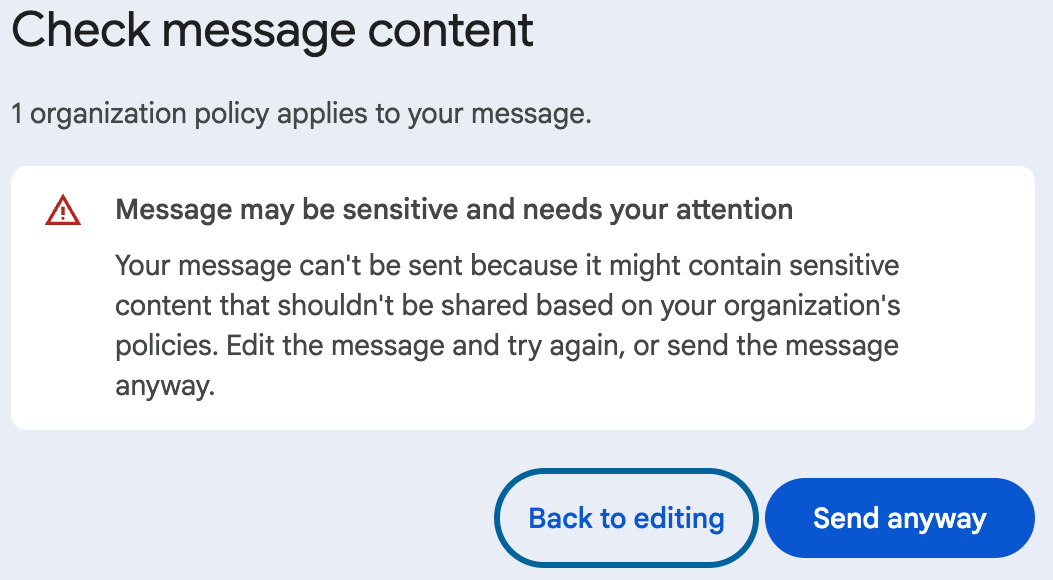
The DLP rules scan the entire email thread including the original message, any replies, and any attachments. Without seeing the entire thread, we can't always tell why it's getting flagged. However, some common issues we've seen are things like medication names (Epipen), PDF attachments with address and birthday information, or emails that contain words like "insurance" or "account number".
Basically this warning is Google's way of saying, "Hey, we think you might be sending or replying to a message with sensitive content, and it's not going to an @dcgschools.com address. Are you sure?"
If you're confident in the destination and the content of the message, it's safe to click Send anyway. We're hoping to gain some additional insight and control as new DLP rules are rolled out by Google, but it appears to be on by default for now. If you feel comfortable forwarding the entire email thread, we can definitely dig a bit deeper to see what we can find.