===== WRITE YOUR REPLY ABOVE THIS LINE =====

Mar 19
8:44AM | Mar 19 8:44AM Robert Fisher replied to this messageI will answer some of the easy ones that I can with the current info now and then it is here for your record as well but also go over them on the call so you can get a better visual. To manually pull a system so you have fresh data go to Systems->Overview and press the play button on the corresponding system you want to pull. Collect and load a system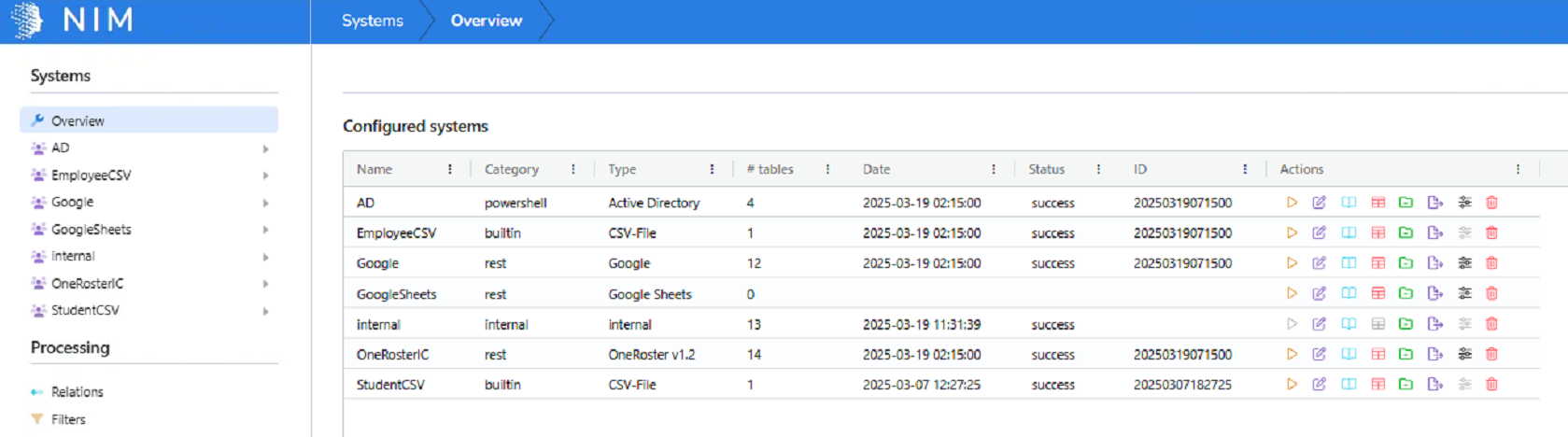 For the group it depends on a few things that either exist or don't already.For something like your H.S. Band since a role already exists for this mapping _hs_band you can just edit the current role. Select the Google group member under role items, and then select _hs_sponsor in groups to have the one role control both groups. 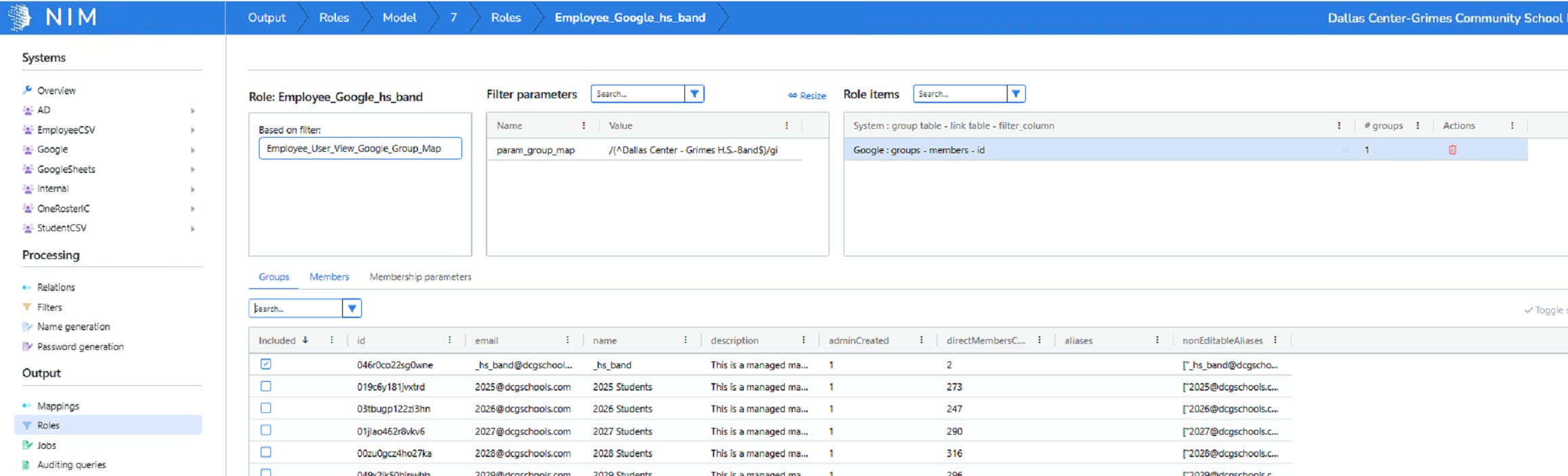 If a role does not exist yet and you need a new one such as for your student teacher example the easiest way is to copy an existing role and modify it for the new group. You can find one similar such as the he_art role and hit the green button to copy it. Then rename the new group to something appropriate, update the parameter value to the new OUidentifier, and update the group the role is tied to.  |
|
|
